




How to Add a Link in Your TikTok Bio (2026 Guide)
Mar 03, 2026
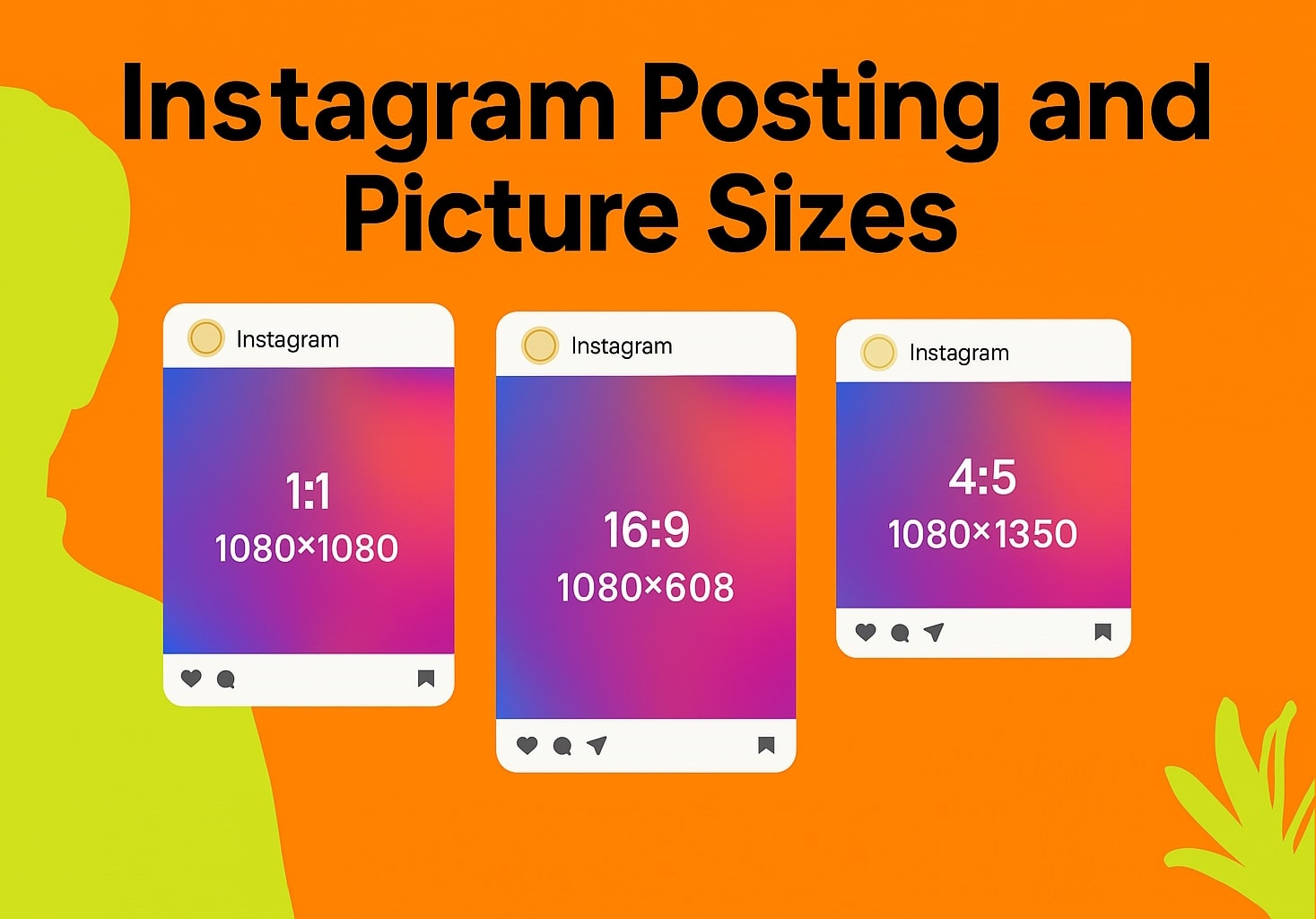
Do you know the moment when you see something that can be post on your Insta account, take a picture on your iPhone, upload it, and the best part is cut out? This happens because the dimensions of the image do not meet the requirements of the social network. Therefore, it is necessary to know the optimal photos size for Instagram. This guide will help you make the right decision.
At the moment, for 2021, you can upload photos of any size, color, and quality to Insta. From 640x640 to the maximum existing. This is very convenient because the format of the pictures (jpeg, jpg, etc.) is also not important. All you need to consider is that your picture for Instagram must also appear correctly in your news feed, streamer, and IGTV. We have prepared several tips to help you choose the best option.
• Format: 1:1 square image.
• Resolution: optimal size - 160× 160, minimum - 110× 110 pixels.
• Aspect Ratio: horizontal image - 1.91:1 or 4:5, square - 1:1.
• Instagram post size: horizontal image - 1080× 566 pixels, square - 1080× 1080 pixels.
• Quantity: up to 10 photos in one post.
• Duration: the minimum clip length is 3 seconds, the maximum is 60 seconds.
• Quantity: up to 10 videos in one post.
• Aspect ratio: 16:9 vertical orientation.
• Resolution: 1080×1920 pixels.
• Duration: Maximum video length is 15 seconds, photos are played back for 5 seconds.
• Format: portrait 16:9, square 1:1.
• Resolution: vertical image - 1080×1920, square - 1080×1080.
• Location of the icon: centered.
• Format: vertical video - 9:16, horizontal video - 16:9.
• Duration: minimum - 1 minute. From mobile - maximum of 15 minutes, from a computer - 60 minutes.
• File extension: mp4.
• Size of Instagram post: for videos up to 15 minutes - 650 MB, up to 60 minutes - 3.6 GB.
• Resolution of the cover: 420× 654 pixels.
The social network also allows you to post up to 10 photos in one post, the size, and orientation of each frame will be the same depending on the selected mode (square, portrait, or landscape). In this case, Instagram posting size doesn't matter, and a special set of grids will help you create the perfect composition.
Remember, unlike vertical photos, social media does not crop horizontal photos. It saves the post Instagram size and loads them with blank spaces above and below the image to keep it vertical. If you want to place a horizontal photo with no spaces, you can either zoom in on the photo or rotate it using the editor.
Photo sizing for Instagram is an interesting thing. For example, a profile photo in an app has an aspect ratio of 1:1 and a size of 110x110 pixels. But the web version uses a slightly higher resolution. Therefore, to get a high-quality image on any device, it is better to use a larger photo.
Following the rules is easy and rewarding because it helps your account to become not only more beautiful but also more effective. Choosing the right size for your Insta photo contributes to the popularity of your account and allows you to attract new followers.
Join thousands of creators using UniLink. 40+ blocks, analytics, e-commerce, and AI tools — all free.
Get Started Free